


|
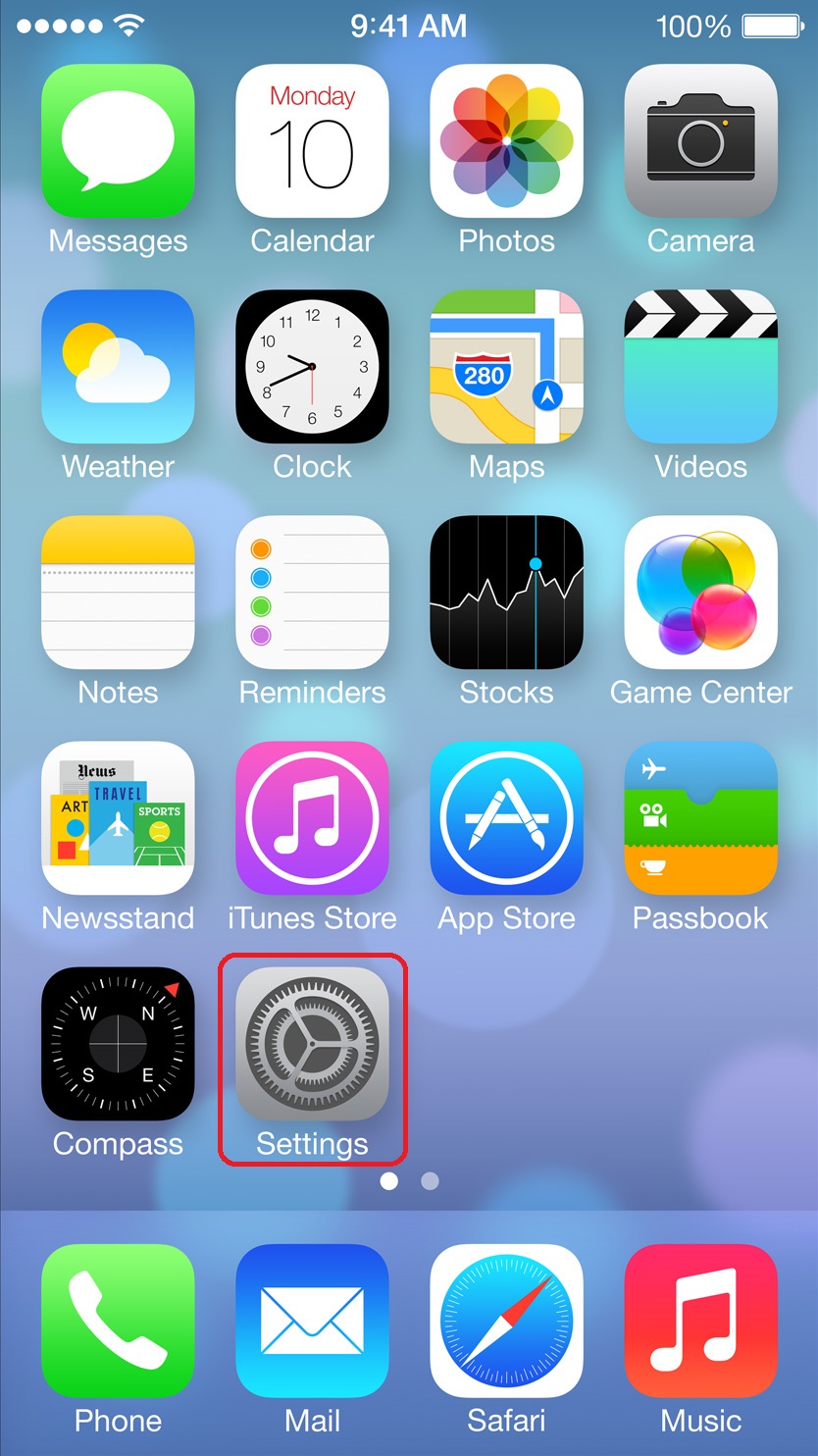
1) Select Settings
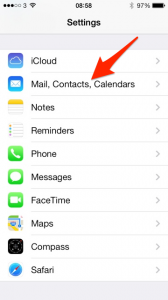
2) Select mail
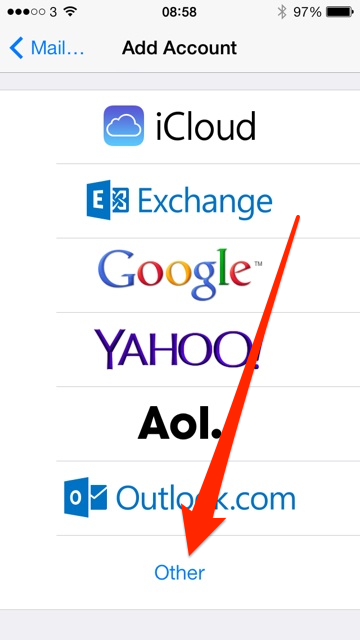
3) Select Other
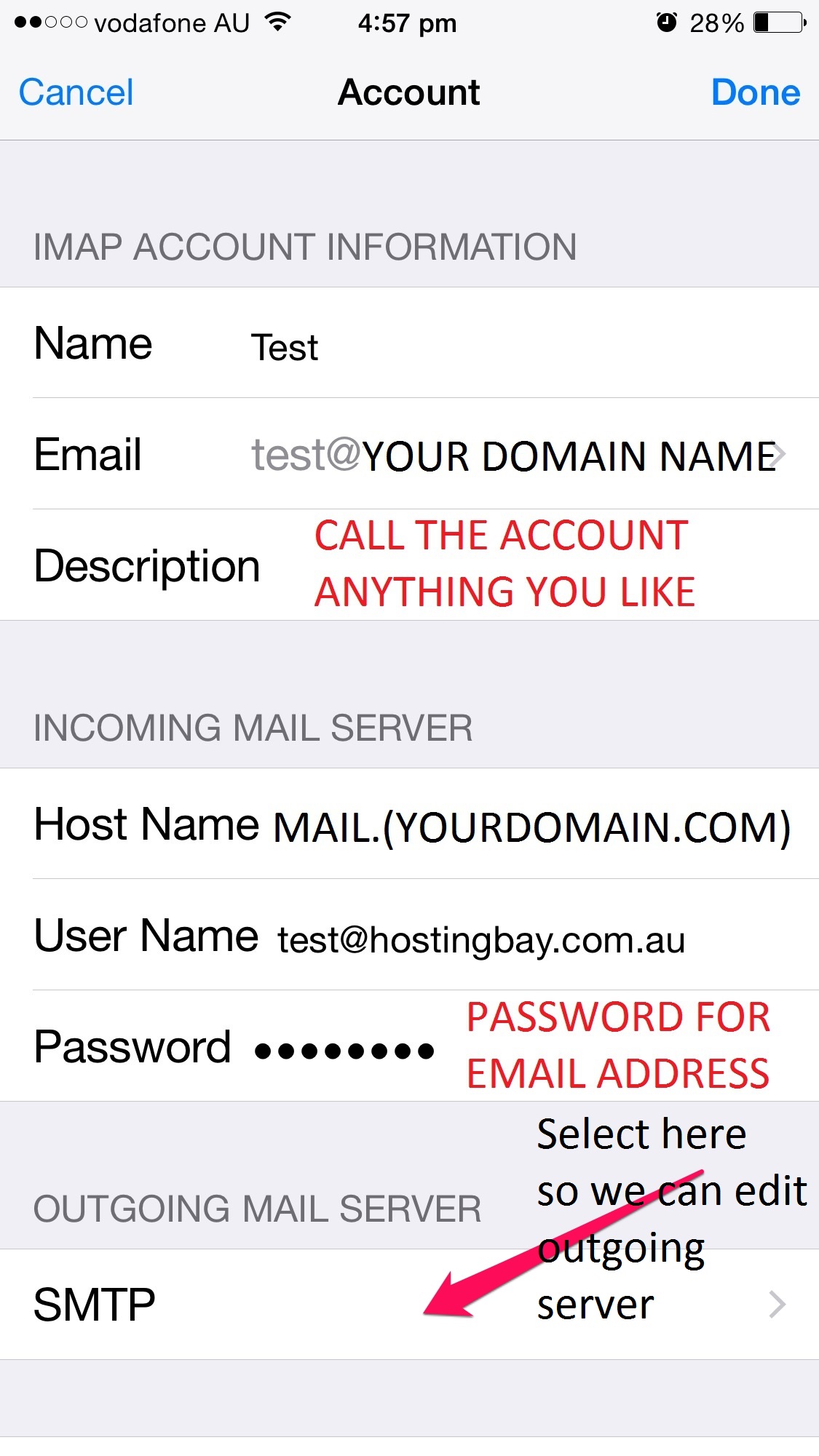
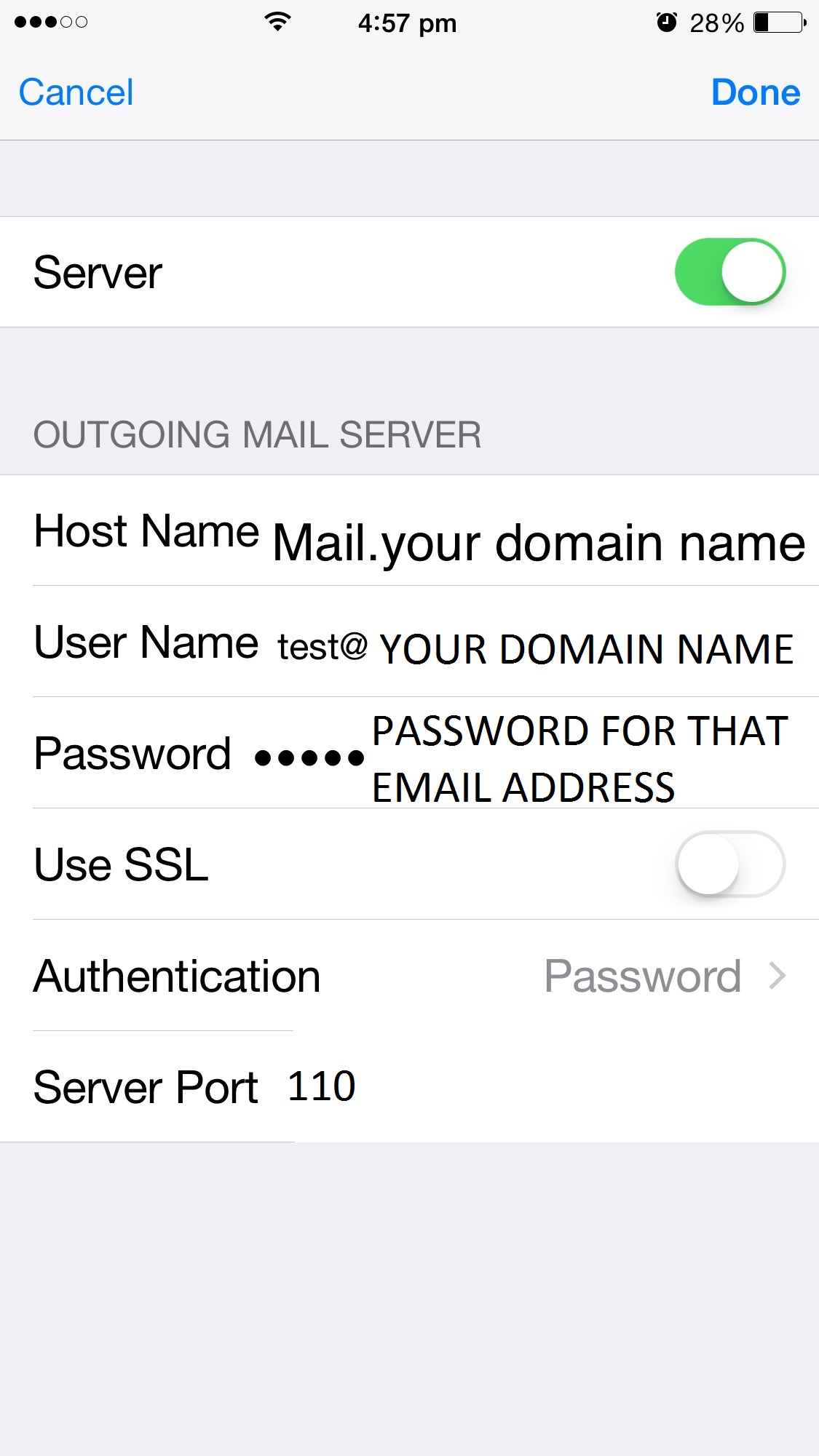
4) Host name is mail.(your domain name) User Name: Your email address Password: Password for the email account you created
5) You will need to enter the same information as step 4. Afterwards select Done.
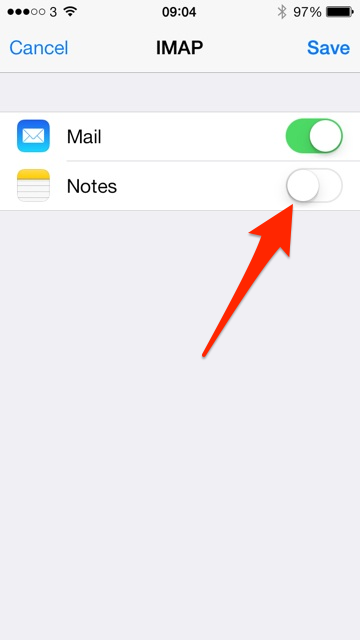
6) Turn off Notes and select Save
If you would like to setup your Macbook next we have that tutorial also >>> Here <<< |
set up mail catch to main account
You can set a default email address to “catch” mail that goes to different addresses on your...