

Choose your account
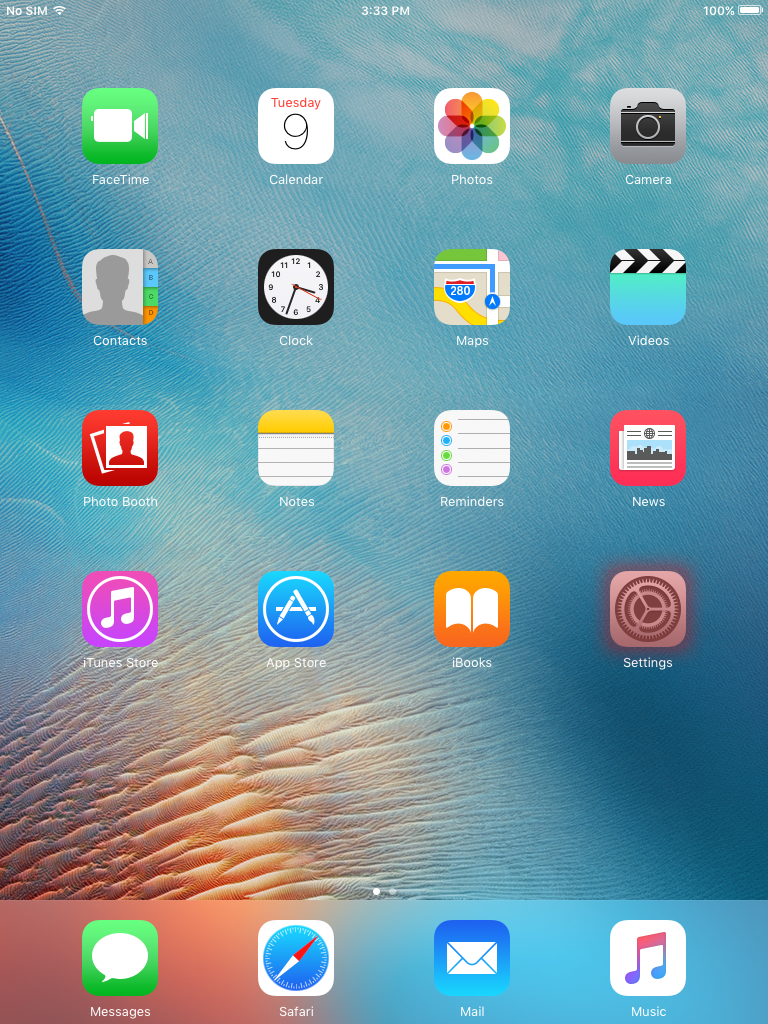
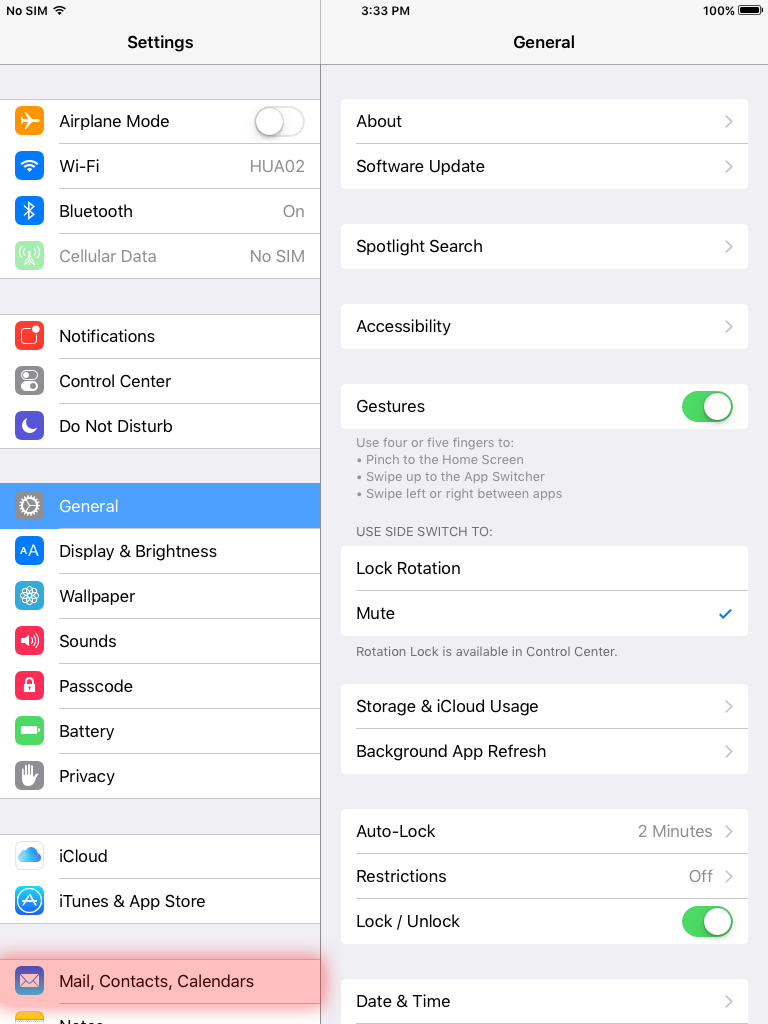
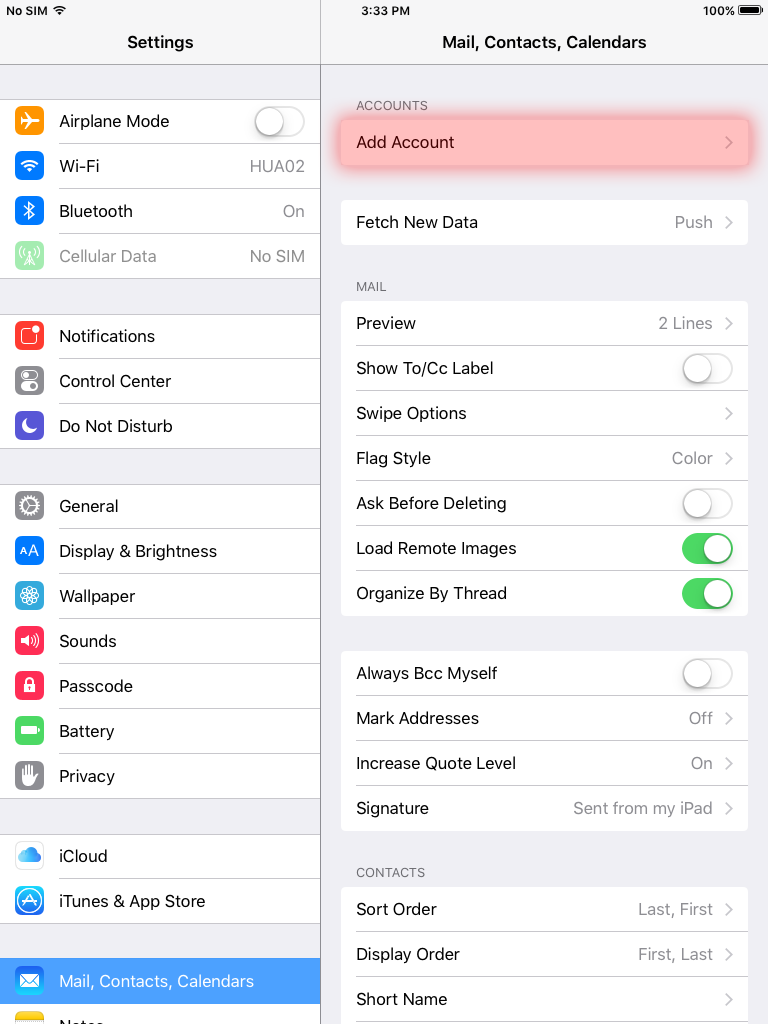
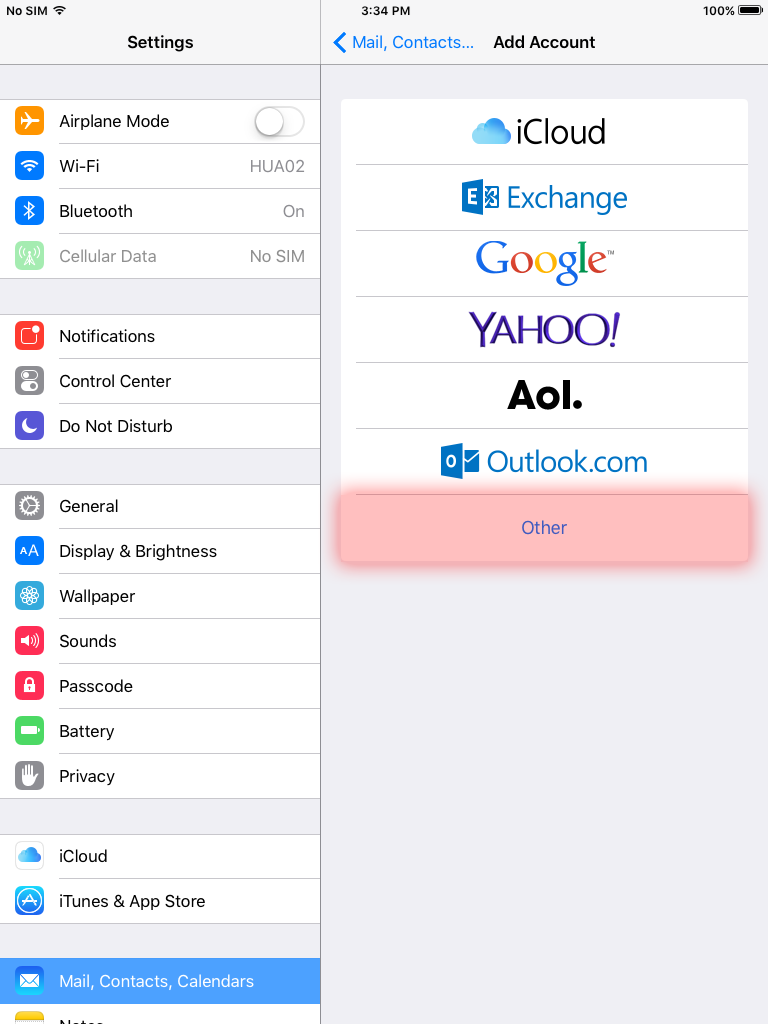
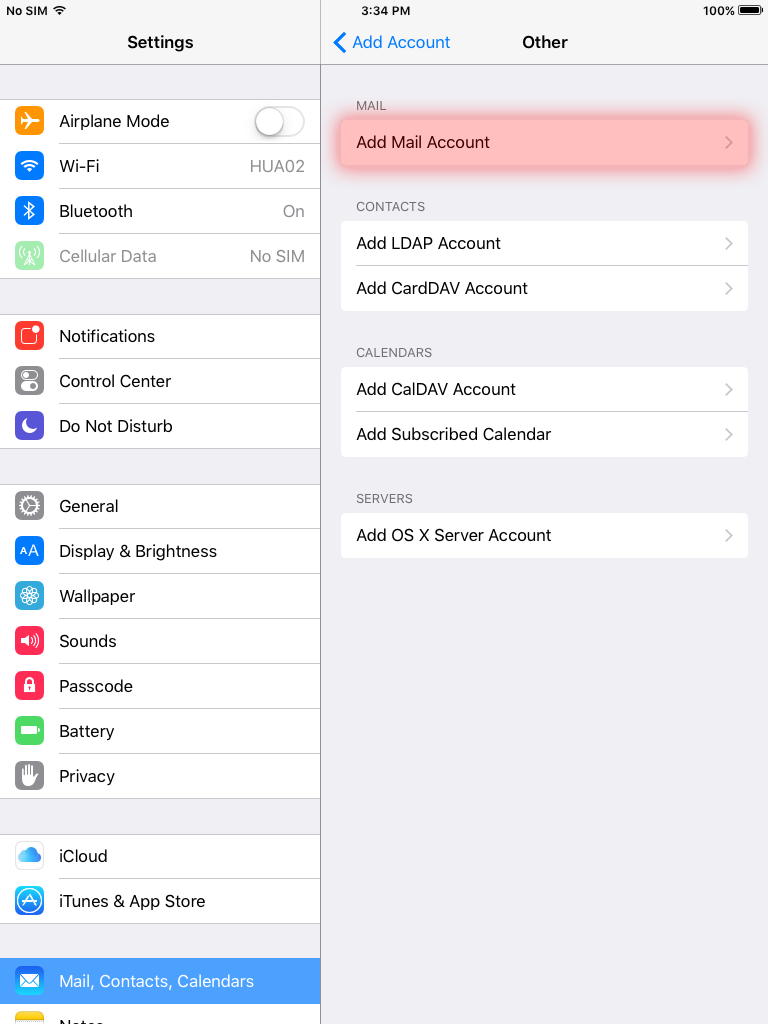
- Go to Settings > Mail, Contacts, Calendars. Then tap Add Account. Then tap Other to add your account manually. And then tap Add Mail Account.
- Enter your name, email address, password, and a description for your account.
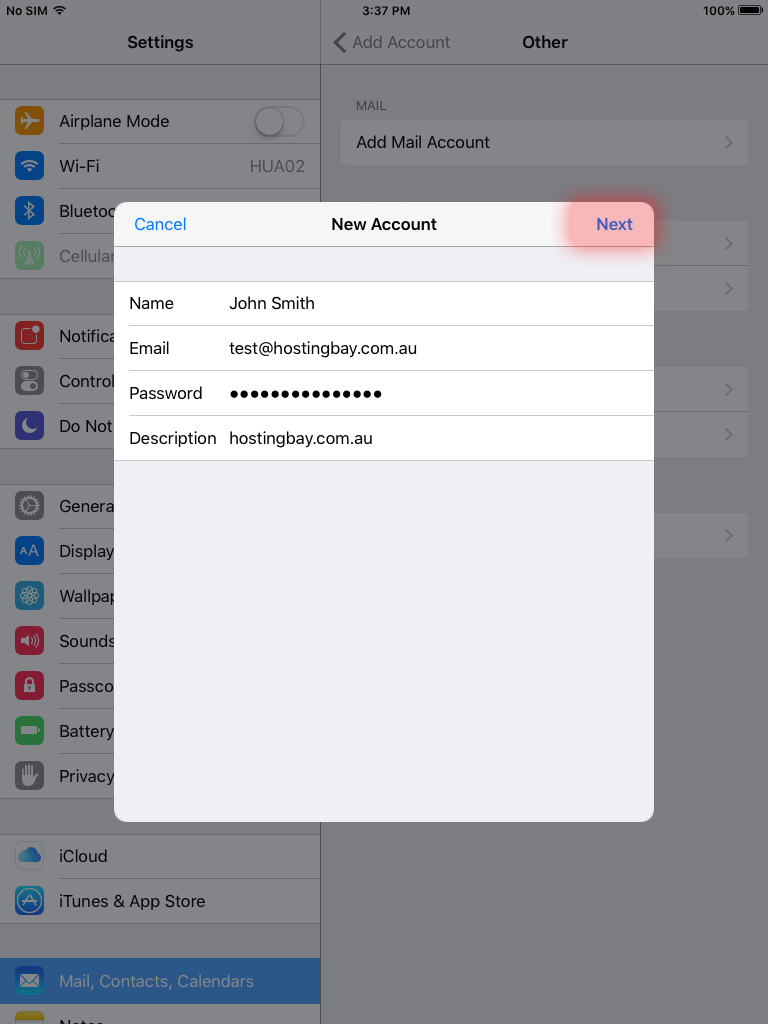
- Tap Next, then choose IMAP or POP for your new account. If you aren’t sure which one to choose, remember that POP is used only if you have your email account setup on one device and IMAP is used when you have your email account setup on multiple devices.
Enter the information for Incoming Mail Server and Outgoing Mail Server. Then tap Next. If you don't have this information, try to look it up within cPanel or contact us.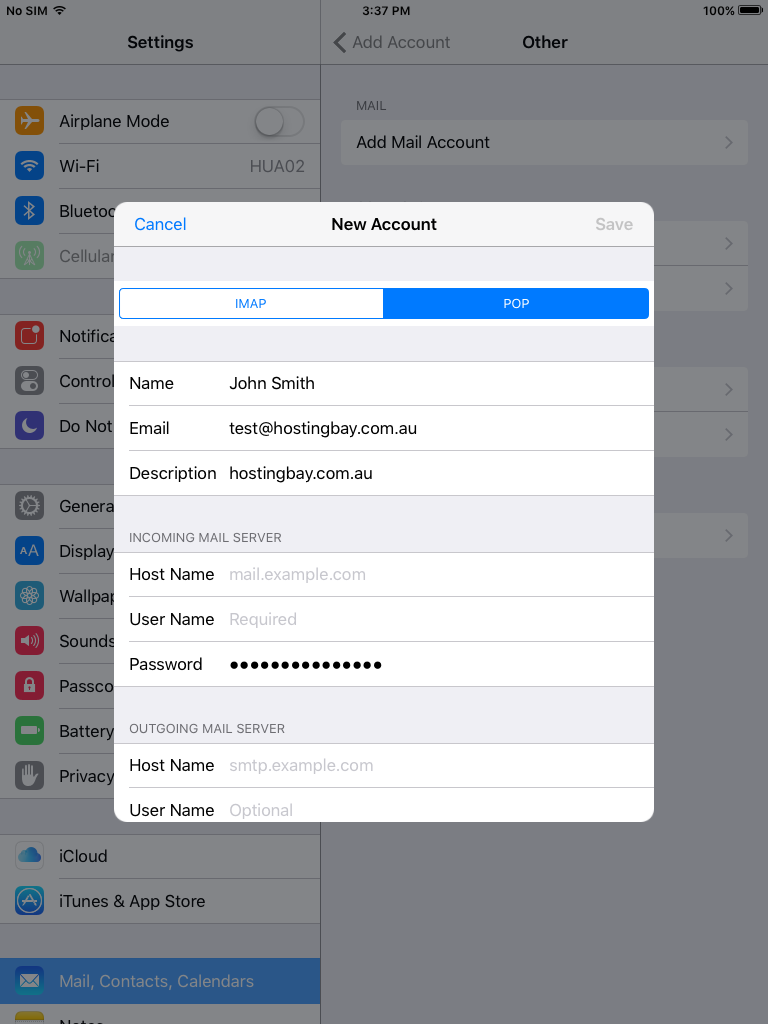
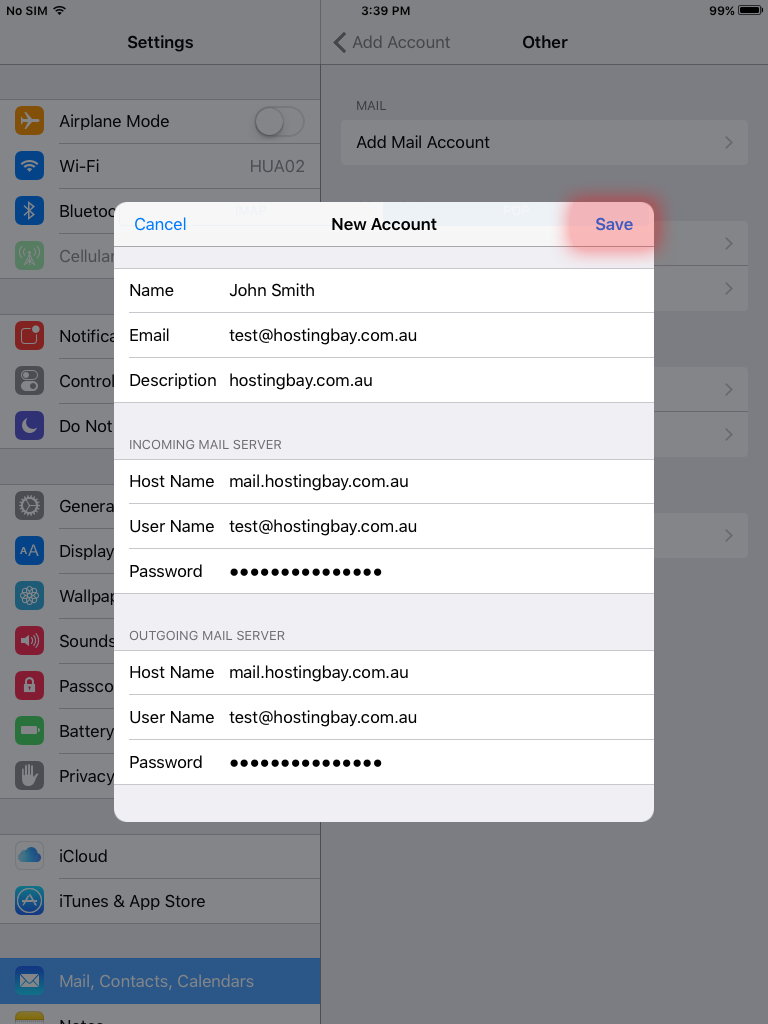
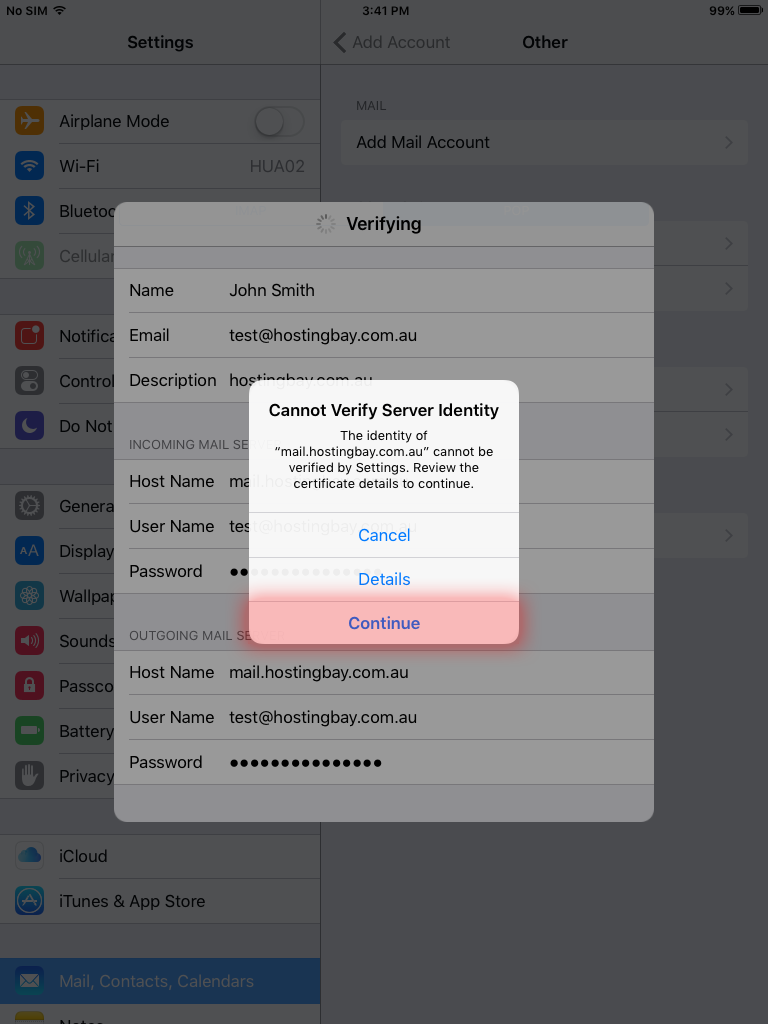
- If your email settings are correct, tap Save to finish. You may be prompted to accept the secure certificate, just tap continue.